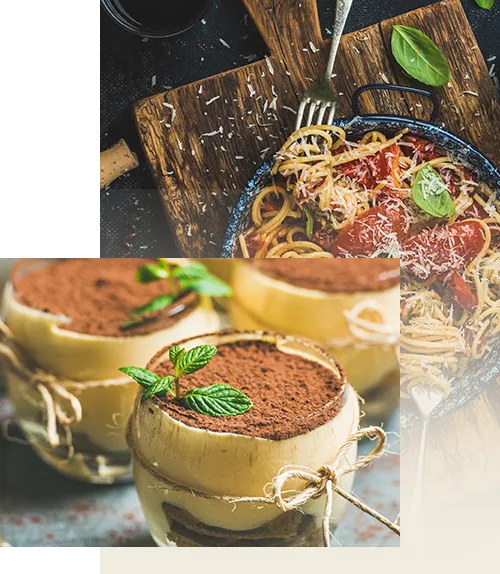
Experience The Sublime! test
Quaerat aperiam eum laborum magni deserunt recusandae laudantium repellendus quasi? Fuga velit iusto numquam quasi cupiditate at iure voluptate necessitatibus illo facilis fugit quaerat rerum voluptatem eum ab aliquid voluptates voluptatibus consequuntur, optio vero reprehenderit? Distinctio inventore aliquam at aperiam aliquid quas? test
567+
Media Activities
15+
Skilled Experts
30+
Happy Clients
858+
Successful Projects
About Personal Chef
What is a Personal Chef Service?
Lorem ipsum dolor sit, amet consectetur adipisicing elit. Porro optio, corporis natus sunt quam praesentium fugiat eaque totam accusantium dolorum.
Who would use a Personal Chef Service?
Lorem ipsum dolor sit, amet consectetur adipisicing elit. Porro optio, corporis natus sunt quam praesentium fugiat eaque totam accusantium dolorum.
What Makes us Unique?
Lorem ipsum dolor sit, amet consectetur adipisicing elit. Porro optio, corporis natus sunt quam praesentium fugiat eaque totam accusantium dolorum.s
FAQ
This is the first item’s accordion body. It is shown by default, until the collapse plugin adds the appropriate classes that we use to style each element. These classes control the overall appearance, as well as the showing and hiding via CSS transitions. You can modify any of this with custom CSS or overriding our default variables. It’s also worth noting that just about any HTML can go within the .accordion-body, though the transition does limit overflow.
This is the first item’s accordion body. It is shown by default, until the collapse plugin adds the appropriate classes that we use to style each element. These classes control the overall appearance, as well as the showing and hiding via CSS transitions. You can modify any of this with custom CSS or overriding our default variables. It’s also worth noting that just about any HTML can go within the .accordion-body, though the transition does limit overflow.test
This is the first item’s accordion body. It is shown by default, until the collapse plugin adds the appropriate classes that we use to style each element. These classes control the overall appearance, as well as the showing and hiding via CSS transitions. You can modify any of this with custom CSS or overriding our default variables. It’s also worth noting that just about any HTML can go within the .accordion-body, though the transition does limit overflow.
This is the first item’s accordion body. It is shown by default, until the collapse plugin adds the appropriate classes that we use to style each element. These classes control the overall appearance, as well as the showing and hiding via CSS transitions. You can modify any of this with custom CSS or overriding our default variables. It’s also worth noting that just about any HTML can go within the .accordion-body, though the transition does limit overflow.